Academic Traces | Modeling and Animation 1 Assignment
This assignment is a modification and enhancement of the model project that was once there, and on top of that, bone binding and animation were added. Original project address:
When modelling, I originally combined multiple objects to form their complex shapes. I used the Combine function to combine multiple objects by different parts to reduce the number of objects. But then I realised that this approach would make it difficult to split the UVs. So instead I used the Boolean function to combine multiple objects into one object and then fine-tuned the model manually.
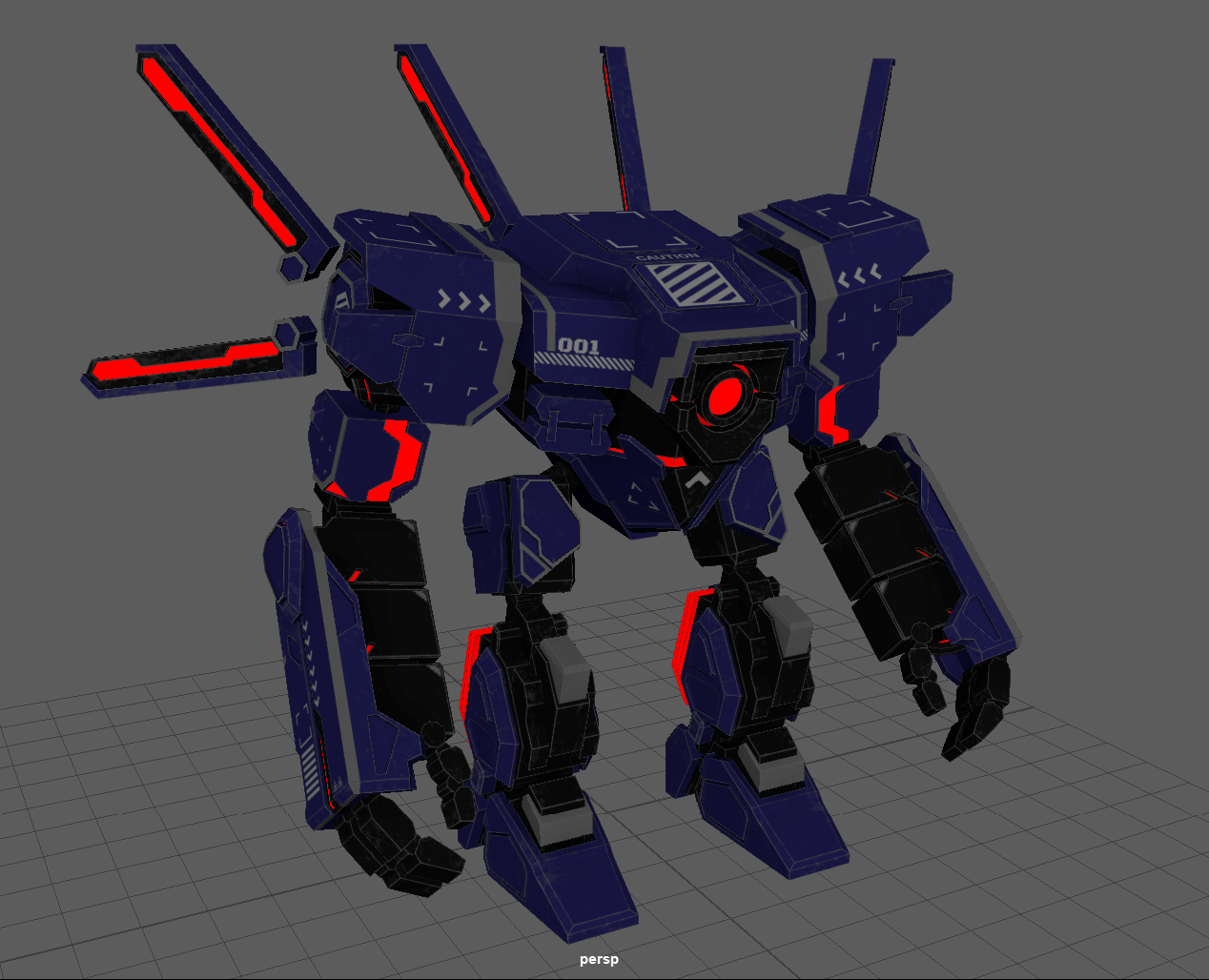
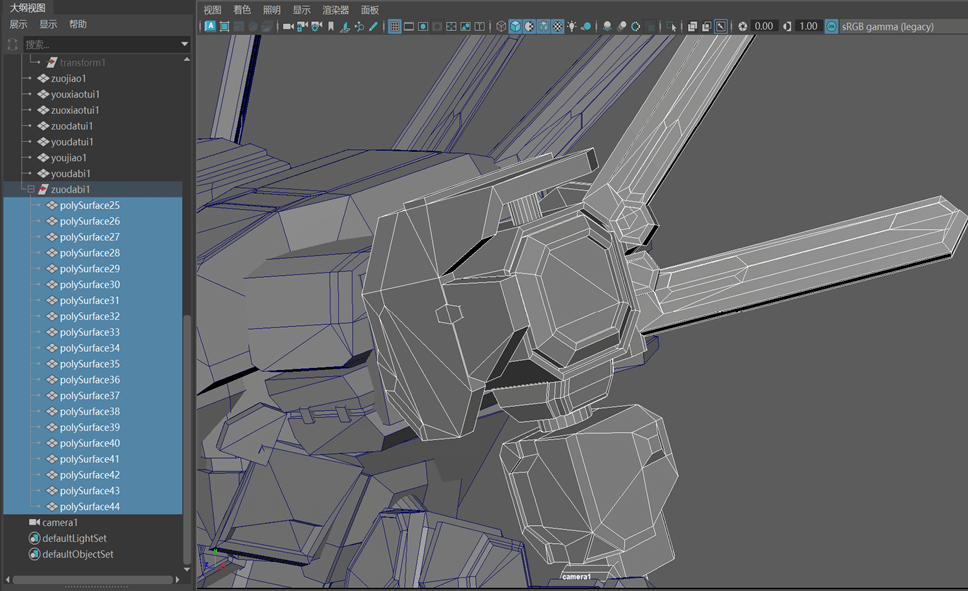
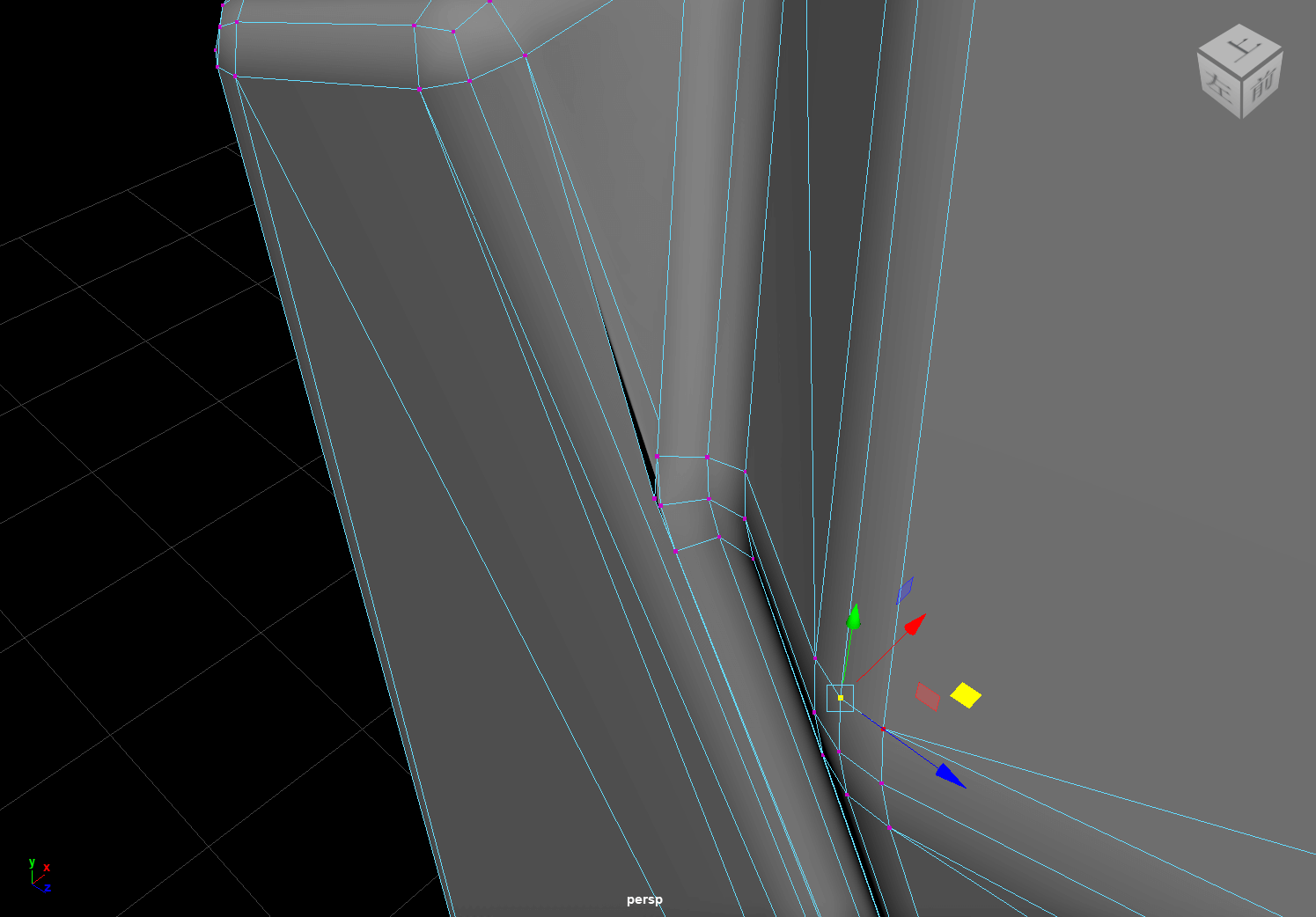
But a new problem arose after using the Boolean function, I forgot to bevel the model. After using the Boolean function the model becomes very complex and it is difficult to manually select the edges that need to be bevelled. Although there are filters in the Bevel function that can ignore some edges by angle, there are still some unknown errors that can cause confusion in the points and edges after bevelling. Such errors are difficult to find and fix.
To make up for this omission, I found a special way. I made a copy of the original model and then bevelled the model as a high model. When creating the texture, this high model was baked onto the original model, thus generating a corresponding normal texture. This normal texture will then provide a visual effect of bevelled edges in subsequent renders.
There is also another way, which is to use the AiToon material, render a stroke effect on the model, and use lines to mask the edges of the model. I tried both, and in the end, based on the overall effect, I chose the latter (but actually used the normal texture baked out of the former as well).
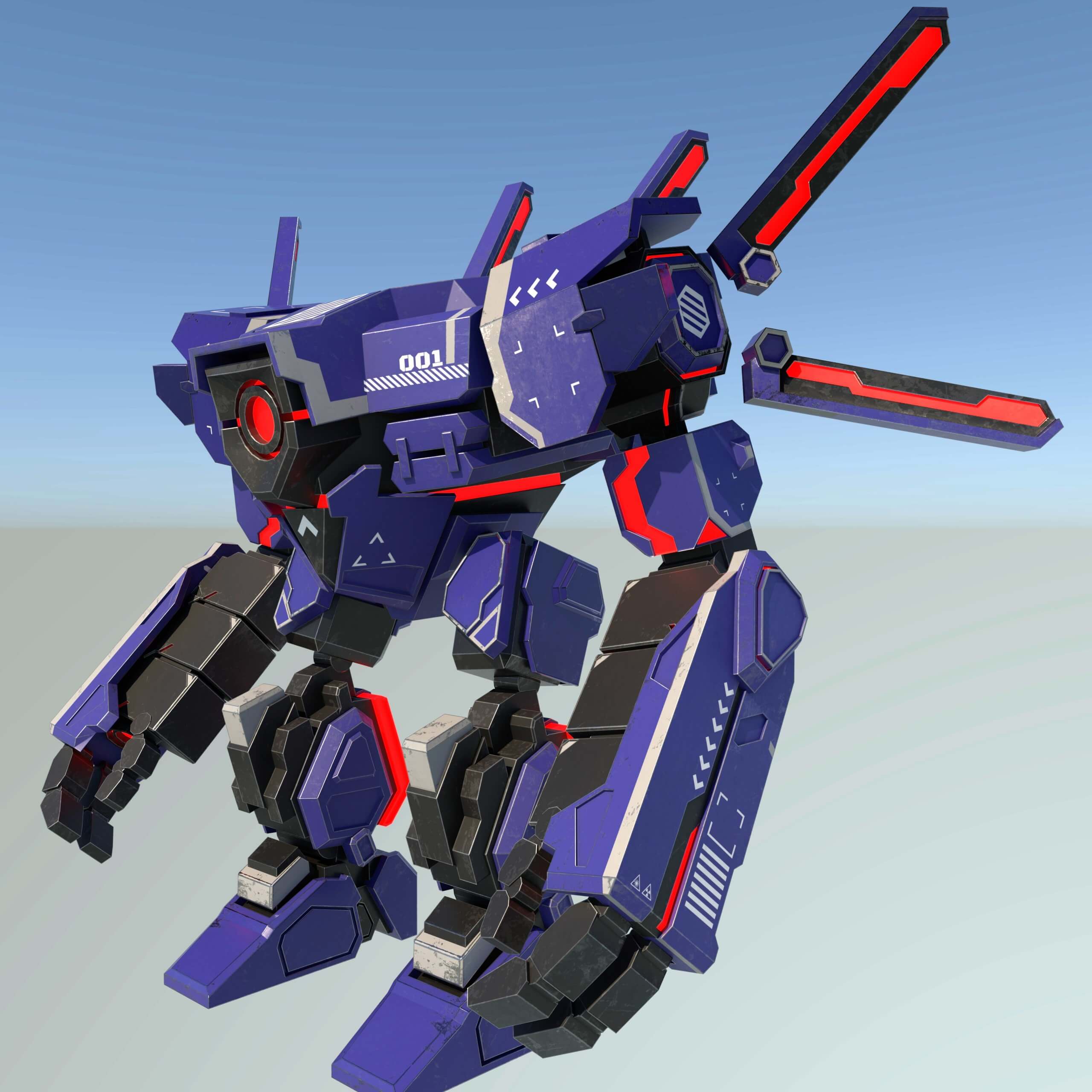
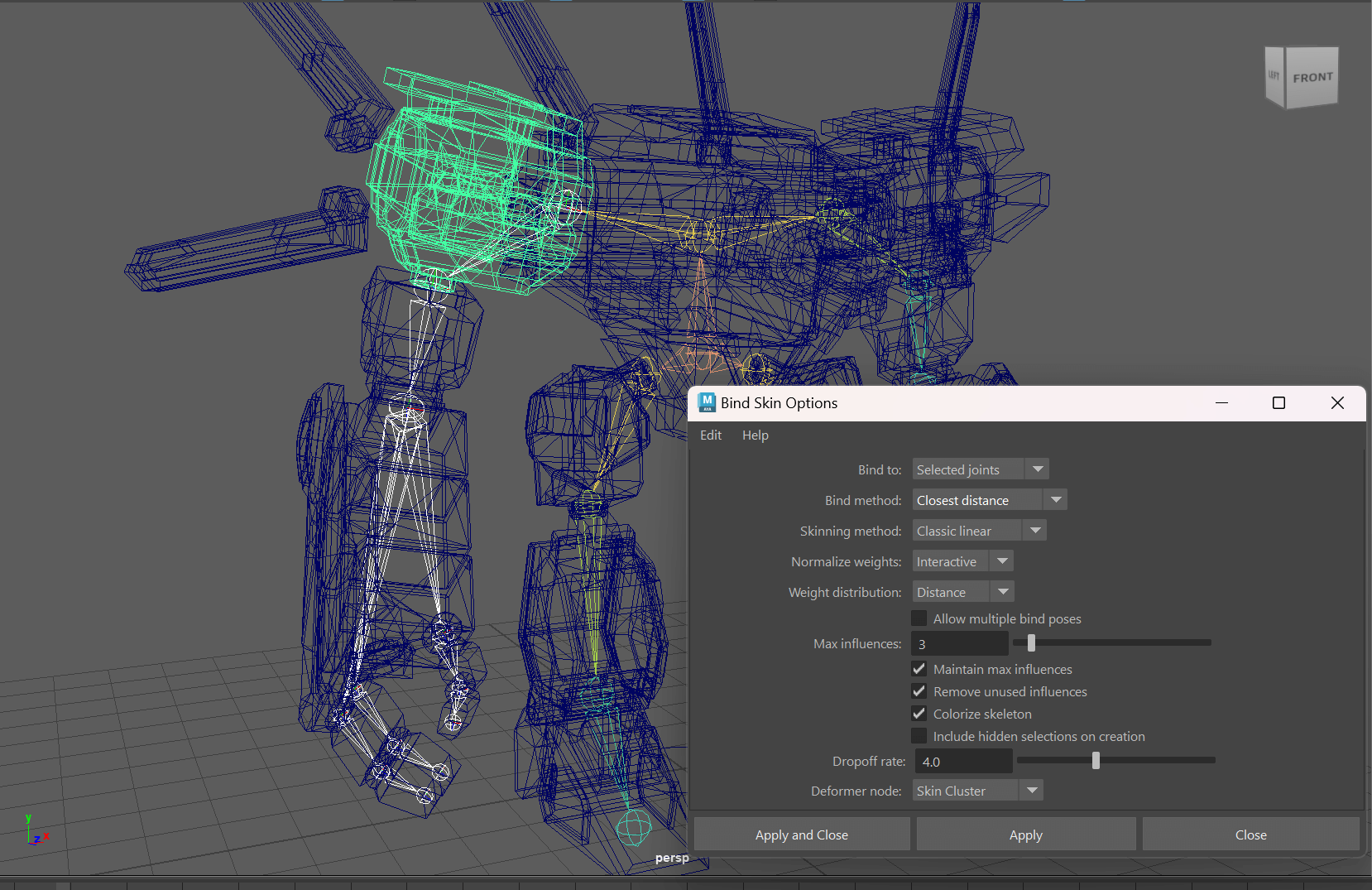
Skeletal binding for mechanical models is simpler compared to skeletal binding for human models. I first created joints based on the moving joints of the model, and then connected these joints according to the levels. When skinning, it is only necessary to bind each object to the corresponding joint, without considering issues such as skinning weights.
After completing the skeletal binding, I created controllers for each active joint. Because each skeletal joint contains transform parameters, when animating the joints, it may be impossible for them to regain their initial position. Instead, the controllers can set the initial transform parameter to 0, and then superimpose the transform of the controllers on the joints through the Parent Constraint function. In order for child joints and their controllers to be able to follow the movement of the parent joint controllers, each controller also needs to be layered according to the level of the joint.
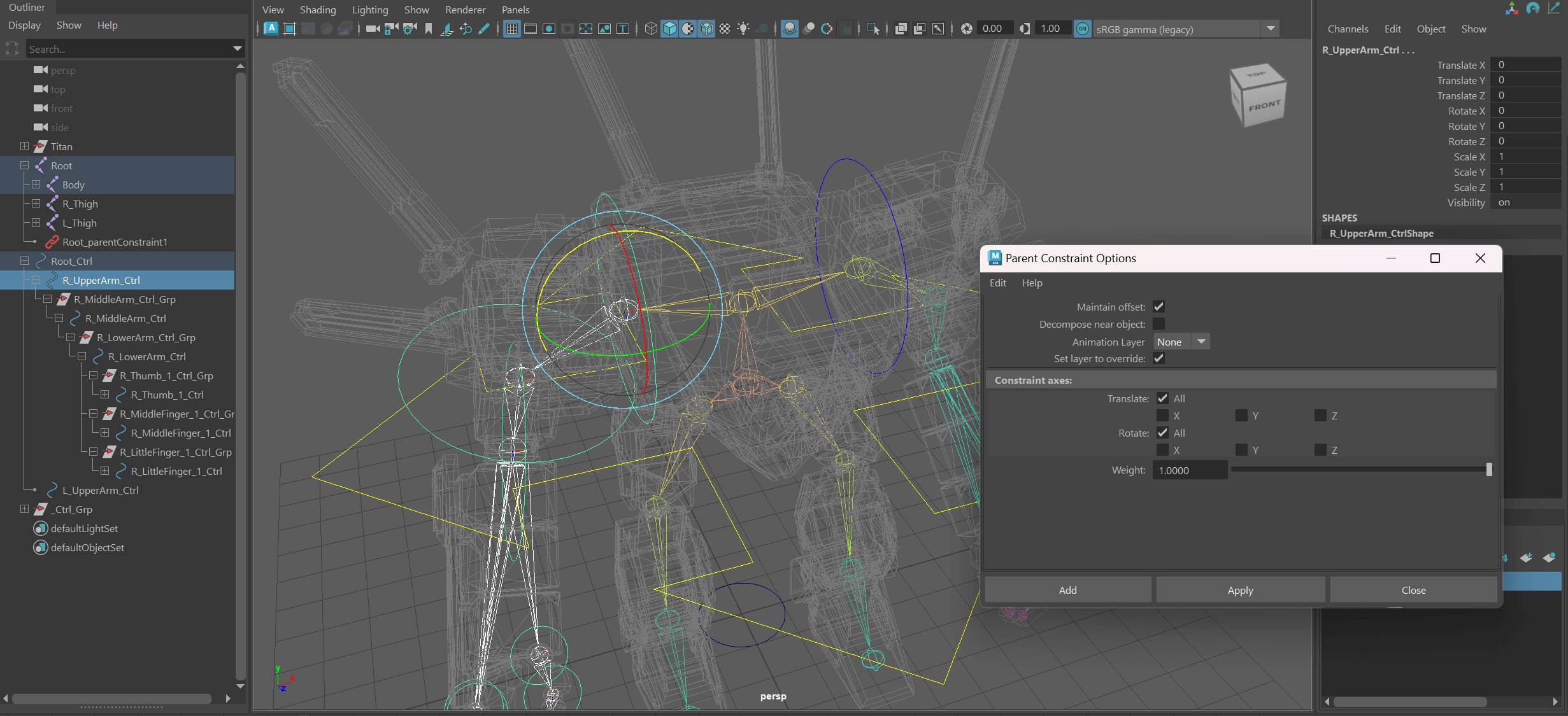
Some of the controllers in the controller layer are contained in groups, due to the fact that some of the joints have transform coordinates that are different from the world coordinates. In order to allow the controllers to transform according to the transform coordinates of the joints, I nested the controllers in groups, and then modified the transform parameters of the groups so that the transform coordinates of the controllers aligned with the transform coordinates of the joints. In this way, the controller can be transformed in the desired direction.
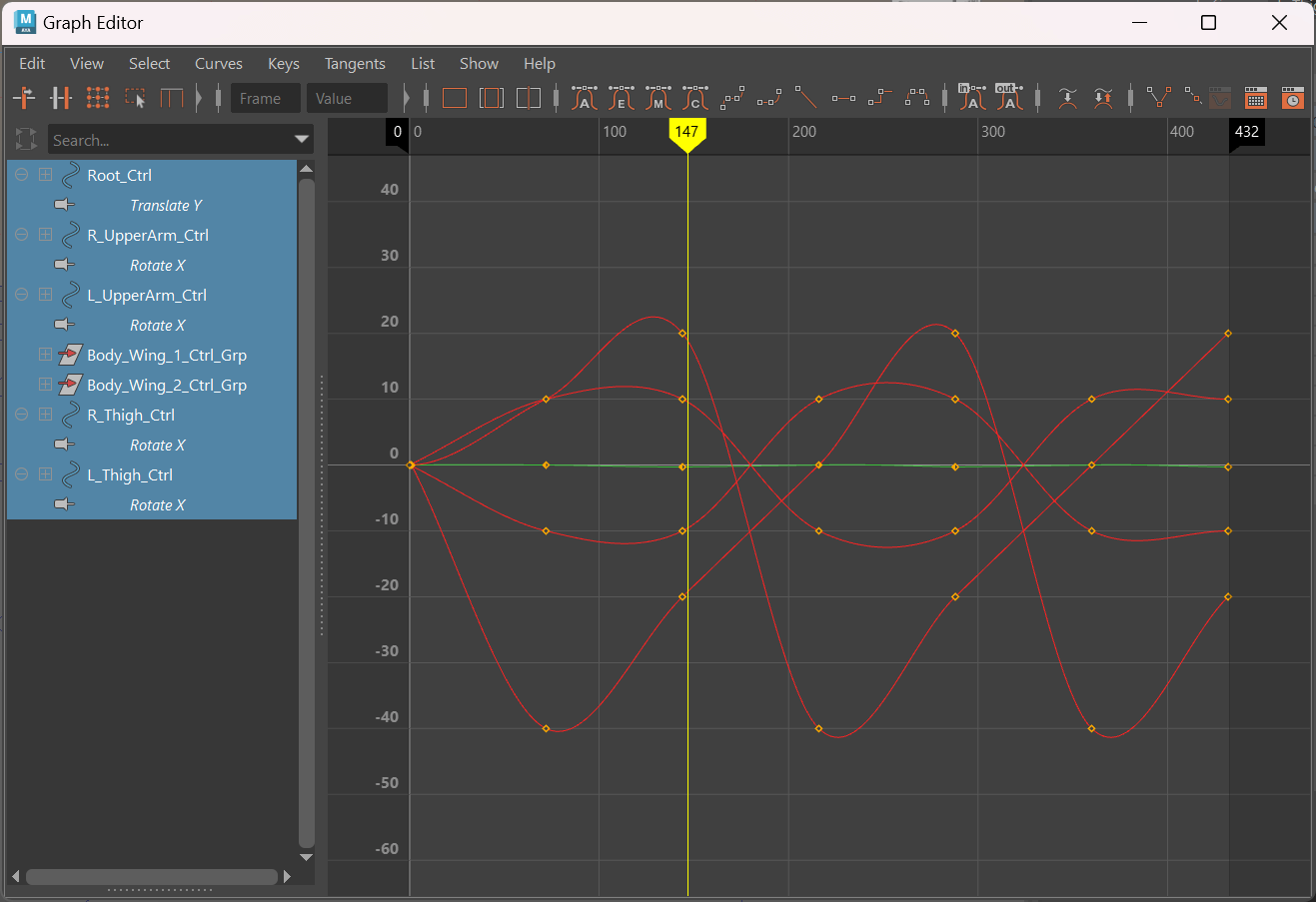
For the animation part I chose a relatively simple walking animation. Compared to the movement of mannequins, the movement of machinery is more rigid and slow. In addition, unlike human's walking movement, human-like machines generally use a high leg-lift-lean-forward-landing walking style, so their pace tends to be one step at a time. But even if the movement of the machinery is rigid, it is not possible to use completely linear animation curves, or the effect will become unpredictably poor.
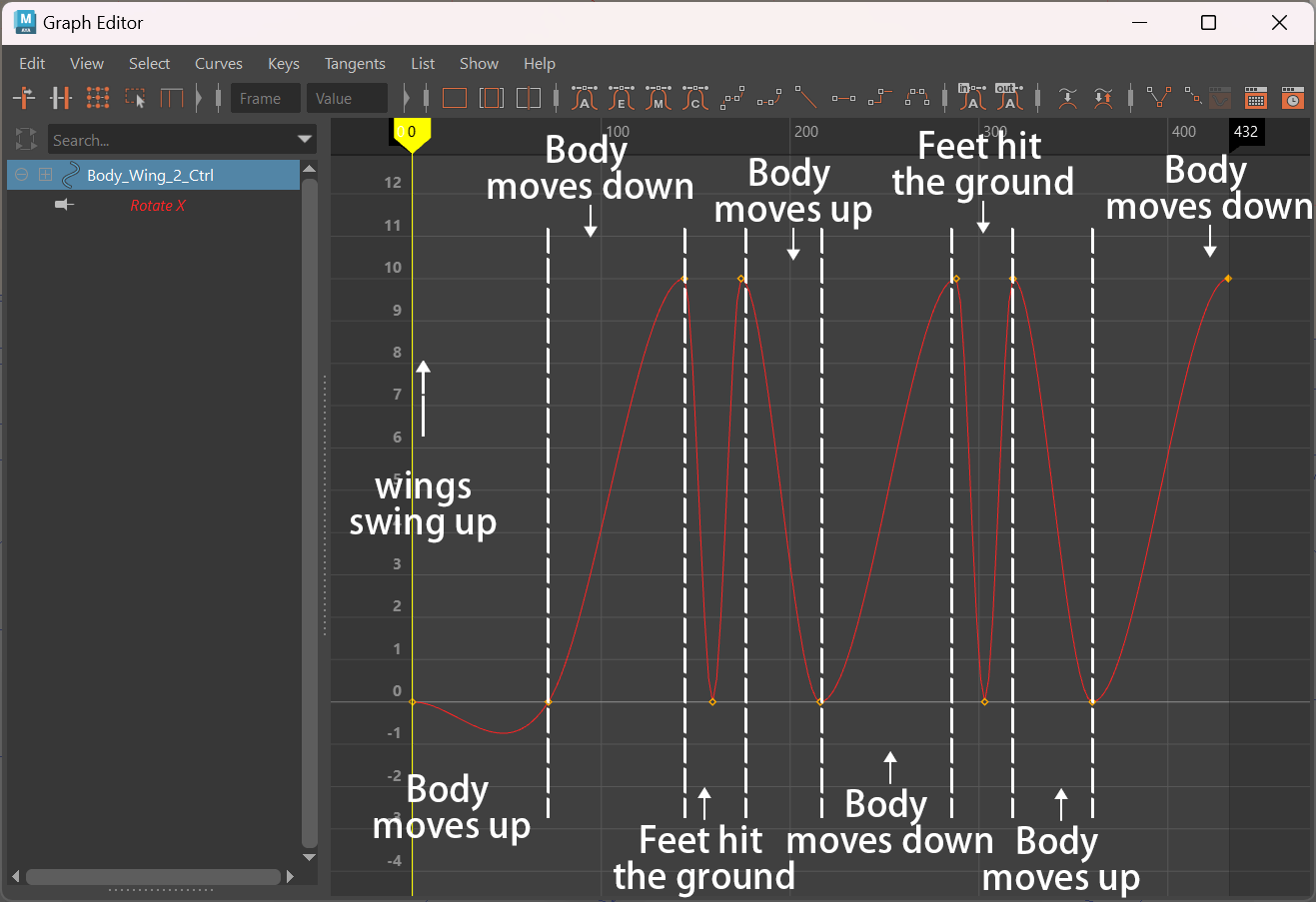
To show the weightiness of the machinery, I added a small jiggle to its lower arms and wings each time its feet hit the ground. I also showed an effect of power instability by controlling the wight of the emission in the materials.
Similarly, its body moves up and down with the steps as it walks, and to enhance this motion, I added separate animations of the wings swinging up and down with the movement. As the body moves up, the wings swing down; as the body moves down, the wings swing up.
最终视频
Assignment score:72/100
Instructor feedback:
Good to see the completion of the model. Need to avoid ngons in meshes & avoid too many cuts while UVing. However, good to see the use of toon shader in your workflow. The animation poses look decent but need to improve timing to avoid floating vibe. Need to have more impact when the feet touches the ground to demonstrate the weight. Decent lighting, report needed to have more screenshots of the process.